


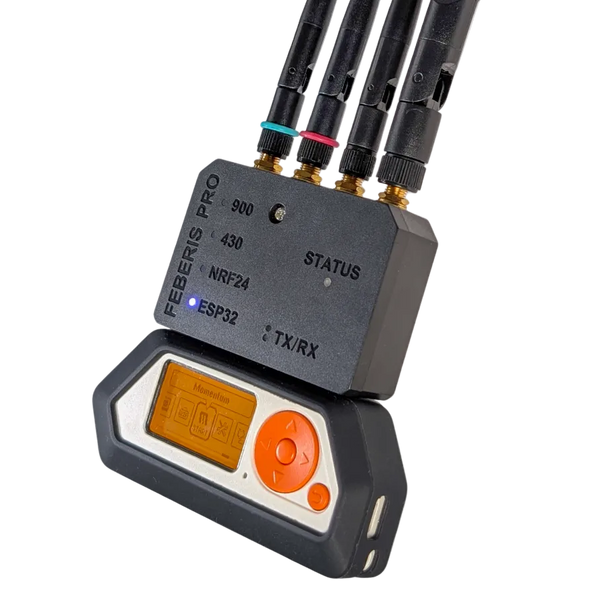
Feberis Pro - Advanced Expansion Board for Flipper Zero
2× CC1101 · NRF24 · ESP32 · GPS
469,00 złIn stock

Lowest price in 30 days before discount:
Notify me when it's back
We'll send one email when Flipper Zero – Multitool for Pentesters is back in stock.
Add-ons and accessories tested with Flipper Zero.
2× CC1101 · NRF24 · ESP32 · GPS
Flipper Zero is a pocket-sized tool for exploring radio protocols and working with electronics. It combines Sub-GHz, 125 kHz RFID, 13.56 MHz NFC, infrared, iButton and GPIO. Its screen and buttons let you read supported identifiers, save signals and control devices without constantly returning to a computer.
Use it for learning, microcontroller projects and testing your own hardware. The functions available with a particular device depend on its protocol and security features. Prepare a microSD card for data, applications and resources before getting started.
The TI CC1101 receives, stores and replays supported sub-GHz signals. Available frequencies and transmission depend on the region and protocol. Compare signals from your own remotes and sensors, checking compatibility with each model.
The 125 kHz reader supports selected low-frequency identifiers, including EM4100 and HID Prox. Supported tag data can be stored and emulated; writing to a new tag requires a compatible programmable medium.
The 13.56 MHz module reads and saves data from supported NFC cards. Reading and emulation capabilities depend on the card type, its protection and available keys. Reading a UID does not duplicate every function of a card. The manufacturer's NFC documentation explains individual formats.
The infrared receiver records signals from your own remote, and the transmitter sends them again. The remote library helps you get started with supported televisions, audio equipment and other infrared-controlled devices.
BadUSB runs scripts that emulate HID input, such as key sequences for repetitive tasks on your own computer. Flipper uses an extended syntax based on classic DuckyScript; check individual scripts for compatibility before running them.
GPIO connects modules and electronic circuits. Flipper can work as a USB-UART/SPI/I²C converter. Signals use 3.3 V logic; consult the pinout for the voltage tolerance and function of each pin before connecting a circuit.
Flipper can provide a second authentication factor for services supporting U2F. The U2F application and manufacturer documentation cover key registration and data storage.
Built-in contacts provide access to supported iButton keys and 1-Wire protocols. Reading, writing and emulation depend on the key type and the capabilities of the medium.

Public firmware source, documentation and development tools let you create your own applications. Match apps and alternative firmware to your hardware and required functions.
Built-in Bluetooth connects Flipper to the mobile app. WiFi projects need an external board: the WiFi Devboard uses ESP32-S2, while Feberis Pro combines several radio interfaces. Choose according to your software and task.
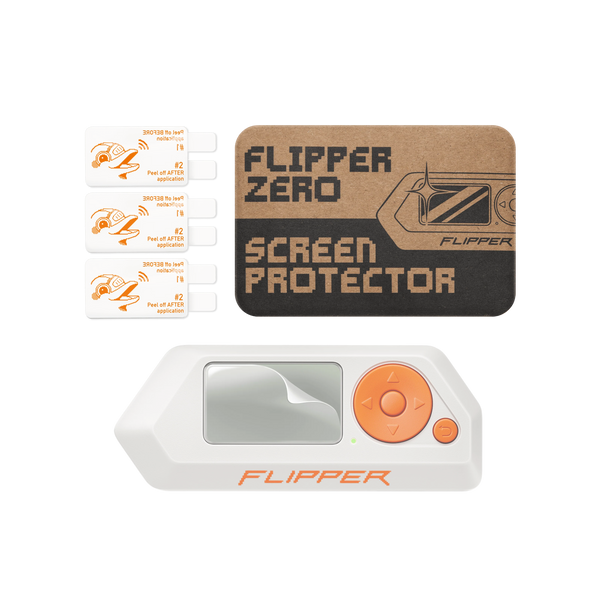
Use a prototyping board for your own electronics. For an external sub-GHz module, compare MAXIMUS CC1101. Cases, protectors and other additions are in the Flipper Zero accessories collection.
Insert a microSD card and update the official firmware through qFlipper on Windows, macOS or Linux, or through the mobile app. A Devboard is not needed for routine updates. Back up your data and read the author's instructions before installing alternative firmware.
The microSD card and expansion boards are sold separately.
Our SAPSAN video series presents the device in Polish. Read the Flipper Devices documentation and our overview of the Flipper One project for further background. For broad-frequency SDR analysis, also compare HackRF with PortaPack H4M.
Didn't find your answer? Write to us - we also help after your purchase.
This equipment is intended for education, research and authorized security testing. Only test devices and systems you own or have permission to test from an authorized person or organization. When using the equipment, comply with applicable laws, including rules on radio communications and privacy.