


uConsole Kit RPI-CM5 8GB
5.0- CM5 8 GB
- Cortex-A76
- 2.4 GHz
1 855,00 zł
Lowest price in 30 days before discount:
Temporarily out of stockShips from our warehouse in Poland
Notify me when it's back
We'll send one email when uConsole Kit RPI-CM5 8GB is back in stock.
- Free shippingOrders over $200 · Poland: usually 1-2 business days
- VAT invoice with every order
- 14 days to returnReturn policy
- Technical help after purchase
Complete your uConsole
Add-ons and accessories tested with uConsole.
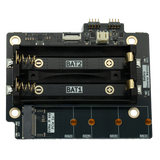
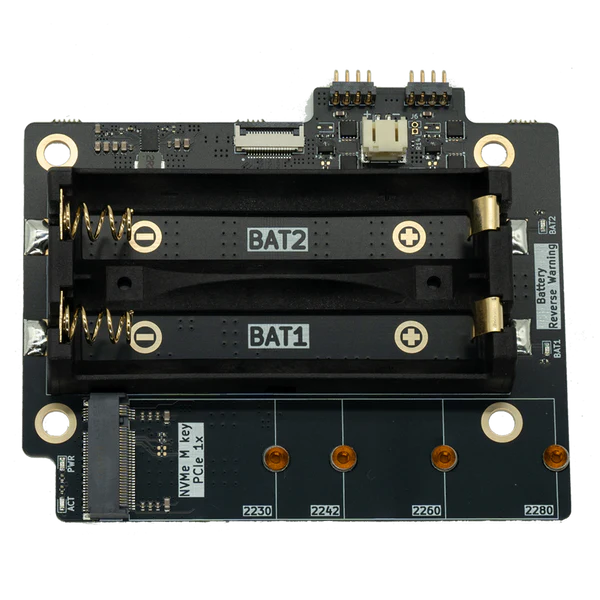
uConsole NVMe Expansion - NVMe Battery Board
M.2 NVMe 2230-2280 · 18650
174,00 złIn stockChoose optionsuConsole Adapter Board - Upgrade Kit (NVMe, USB 3.0, Ethernet)
PCIe · NVMe · USB 3.0 · CSI
174,00 złIn stock
Description
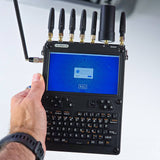
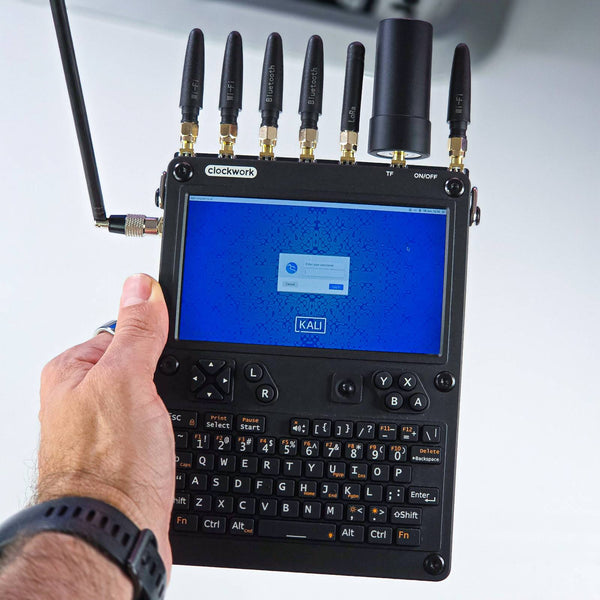
The uConsole Kit RPI-CM5 8GB is the most powerful edition of ClockworkPi's iconic cyberdeck. Instead of the entry-level module you get the flagship Raspberry Pi CM5 with 8 GB RAM - a quad-core Cortex-A76 processor clocked up to 2.4 GHz that turns this pocket computer into a full-fledged tool for working under load. The same foldable, modular design, 5-inch IPS screen and backlit QWERTY keyboard, but noticeably more power under the hood. The product is physically in stock at the Sapsan warehouse in Poland, so you order with fast delivery from the official ClockworkPi distributor.
Why choose a uConsole with the CM5 8GB module?
The CM5 is a generational leap over the older CM4 modules. The newer Cortex-A76 architecture and a full 8 GB of RAM translate into genuinely smoother work where the CM4 started to choke: many open terminals at once, heavier pentesting tools, compiling code, a browser with several tabs or running containers. If you treat the uConsole as a daily work tool and not just an SSH gadget, the CM5 8GB version is the one that keeps up with your pace.
A note on temperature: the CM5 module runs hotter than the CM4. Work stays stable, however, as long as the external conditions are right - we recommend using the device in rooms up to 25°C (77°F). Under those conditions the uConsole CM5 works without problems.
What the uConsole can do
- Display: 5-inch IPS HD 1280×720 panel with vivid colours and wide viewing angles.
- Keyboard: full, backlit QWERTY keyboard for comfortable typing even after dark.
- Audio: built-in stereo speakers and a 3.5 mm jack with microphone support.
- Connectivity: dual-band Wi-Fi 802.11ac and Bluetooth 5.0, backed by a high-gain antenna.
- Ports: USB-C power, USB-A ports (external and internal), micro-HDMI and audio output.
- Expansion: microSD slot up to 256 GB, a 40-pin GPIO header and a 52-pin Mini PCIe for modules such as an LTE modem.
- Modular build: you can swap the compute core in a few minutes - the ClockworkPi v3.14 rev.5 board supports Raspberry Pi CM4 and CM5 modules.
- Linux without compromises: ClockworkOS out of the box, as well as Kali Linux, Ubuntu or Raspberry Pi OS.

What's in the box
The kit is ready to assemble - just add the batteries and a microSD card (the card with the system is already in the box):
- ClockworkPi v3.14 rev.5 mainboard
- Raspberry Pi CM5 108000 module, 8 GB RAM
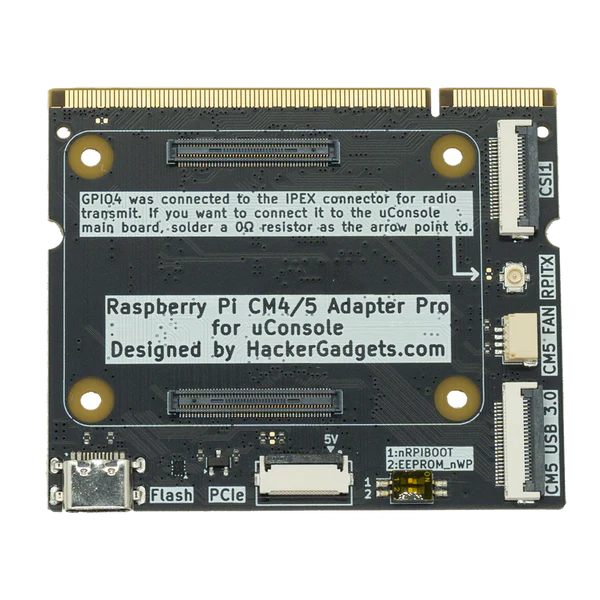
- CM5 adapter for the mainboard
- Wi-Fi antenna
- 5-inch IPS HD display
- Backlit QWERTY keyboard
- Battery module (18650 cells sold separately)
- Two speakers
- A set of covers and mounting parts with an Allen key
- 32 GB microSD card with ClockworkOS preinstalled
Expand your uConsole - add-ons from HackerGadgets
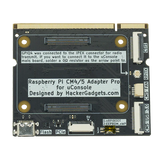
The uConsole grows with your projects thanks to dedicated expansions from HackerGadgets. The Adapter Board (Upgrade Kit) replaces the original mainboard and unlocks the device's full potential - PCIe for an NVMe drive, USB 3.0, a CSI camera port and a fan connector that comes in handy with the warmer CM5 module. Paired with it, the NVMe Expansion adds a fast SSD, and the AIO V2 brings Gigabit Ethernet, USB 3.0 and a set of extra ports. When you need strong wireless connectivity, the AC1200 USB-C Wi-Fi card delivers fast, dual-band Wi-Fi. Each of these add-ons turns the uConsole CM5 into an even more versatile tool for work and cybersecurity.
uConsole CM5 or CM4 - which version to choose?
Both versions are the same cyberdeck; the difference sits in the compute module. Choose the CM5 8GB if you want maximum performance, multitasking and headroom for years to come - it is the option for demanding users and people who treat the uConsole as a real work tool. If you are looking for a cheaper entry into the world of cyberdecks and terminal work, SSH or lighter projects are enough for you, check out the uConsole version with the CM4 module. In both cases you get hardware from a Polish warehouse and Sapsan support. Already own a uConsole and just want to swap the core for a more powerful one? You can also buy the Raspberry Pi CM5 module (Core) on its own.
Pick a colour, add the uConsole CM5 8GB to your cart and build a cyberdeck that won't give up on the tougher task.
Frequently asked questions
Didn't find your answer? Write to us - we also help after your purchase.
How is the uConsole CM5 different from the CM4 version?
The cyberdeck build is identical - the difference sits in the compute module. The CM5 has a newer, quad-core Cortex-A76 processor up to 2.4 GHz and 8 GB of RAM, so it offers clearly higher performance and better multitasking than the CM4. Choose the CM5 version for heavier tasks and daily work, while the CM4 works well as a cheaper entry for terminal use and lighter projects.
Which operating system can I run on the uConsole CM5?
The included microSD card already has ClockworkOS preinstalled, ready to boot. You can also run Kali Linux, Ubuntu, Raspberry Pi OS, ParrotOS or Arch ARM - the uConsole community regularly publishes ready-made images. Kali turns the device into a mobile penetration-testing lab.
Will the uConsole CM5 replace my laptop?
That is not the purpose of this device. The uConsole CM5 shines in terminal work, over SSH, in pentesting and DIY projects, and thanks to 8 GB of RAM it handles heavier tasks than the CM4. It still remains a compact, specialised tool, however - it complements a laptop perfectly, but it will not replace it for long work with a rich GUI.
Are batteries included in the kit?
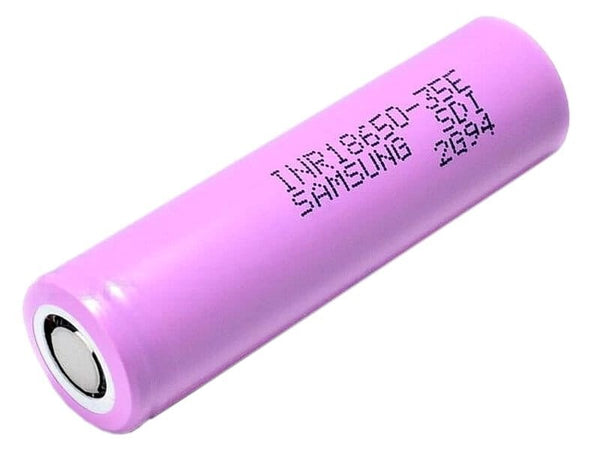
The battery module itself is included, but you buy the two 18650 cells separately - the uConsole needs them to run without a power supply. Samsung INR18650-35E (3500 mAh) cells work well and last for a few hours of use.
Is the uConsole CM5 suitable for pentesting and wardriving?
Yes, it is one of its main uses. Combined with Kali Linux and an external Wi-Fi adapter (e.g. Alfa AWUS036AXM), the device becomes a mobile station for network audits, wardriving and attack simulations. The power headroom of the CM5 module helps when you run several tools at once.
Which expansions fit the uConsole?
You can expand the cyberdeck with the AIO V2 board (Gigabit Ethernet, USB 3.0 and extra ports), the Adapter Board that unlocks PCIe for an NVMe drive and a CSI camera port, the NVMe Expansion for a fast SSD, and the AC1200 Wi-Fi card.
How do I flash the OS to a microSD card and where do I get a current image for the CM5?
The kit ships with a card that already has the system on it, but sooner or later you will want a new card or a different distribution. Current images (Bookworm, Trixie, Kali), flashing with Raspberry Pi Imager, first boot and fixing CM5 Lite boot problems are covered step by step in our guide: Which OS for the uConsole CM5 and how to flash it to a microSD card (2026).
Responsible use
This equipment is intended for education, research and authorized security testing. Only test devices and systems you own or have permission to test from an authorized person or organization. When using the equipment, comply with applicable laws, including rules on radio communications and privacy.


Customer reviews
5.0/ 5
2 reviews