

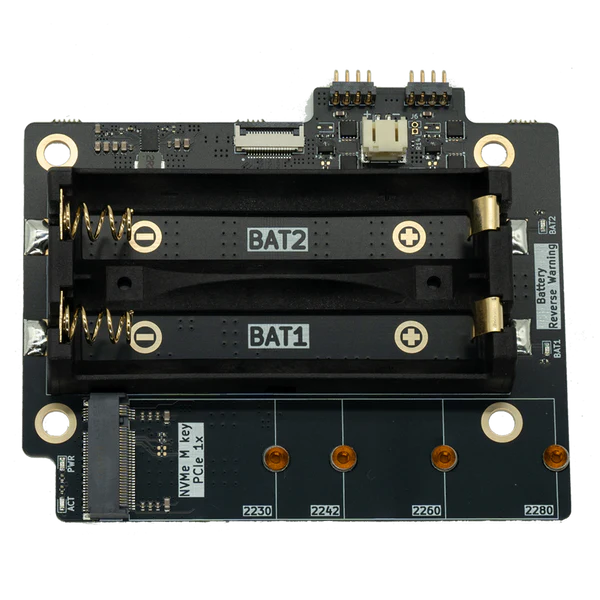
uConsole NVMe Expansion - NVMe Battery Board
M.2 NVMe 2230-2280 · 18650
174,00 złIn stock
Choose options
A replacement for the stock uConsole keyboard: an optical trackpad instead of the trackball, lighter keys and a CNC aluminum front plate.
Lowest price in 30 days before discount:
Notify me when it's back
We'll send one email when uConsole Trackpad Keyboard is back in stock.
An optical sensor from the BlackBerry 9900. The cursor glides smoothly and never sticks like the stock trackball.
Version V2.1.1 presses noticeably lighter and quieter than the original keyboard.
CNC machined and anodized, with a ready-made trackpad opening. Black or silver.
Works as a standard USB keyboard and mouse. The ZMK firmware is open source.
Add-ons and accessories tested with uConsole Trackpad Keyboard.
M.2 NVMe 2230-2280 · 18650
RTL-SDR · LoRa · GPS · RJ45 1 Gbps
The stock uConsole trackball tends to stick and jump, and many owners stop using the mouse altogether. This keyboard replaces it with the optical trackpad from the BlackBerry 9900. You move the cursor with your thumb like on a phone, smoothly and without jitter, and pressing the trackpad clicks.
The kit swaps two parts of the uConsole: the keyboard board and the front plate. The rest of the device stays as it is, and installation needs no soldering.
Black matches the black uConsole. Silver matches the original front plate of the silver uConsole. The color applies to the plate only; the keyboard board and trackpads are the same in both versions.
You replace the keyboard board and the front plate, then move the original keycaps to the new plate. A screwdriver is all you need: no soldering and no changes to the system. The kit includes two trackpads, one to install and one spare.
The keyboard connects to the uConsole over USB as a standard keyboard and mouse, so it works right away in ClockworkOS, Kali Linux, Raspberry Pi OS and other systems. No drivers needed.
Didn't find your answer? Write to us - we also help after your purchase.
This equipment is intended for education, research and authorized security testing. Only test devices and systems you own or have permission to test from an authorized person or organization. When using the equipment, comply with applicable laws, including rules on radio communications and privacy.